Start11 v2.81 - start button missing on the primary display


I have 3 monitors, with the center one (#2 being the primary) 

I have taskbar on the left side of my monitors.

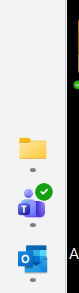
The start button displays normally on non-primary monitors #1 and #3 
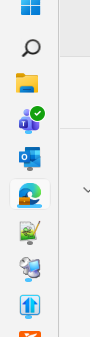
 

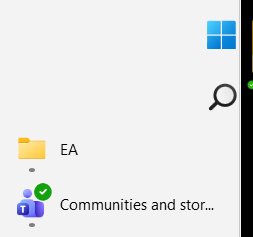
But on the primary monitor #2, it is missing - when I expand the width of the task bar, I see it there.
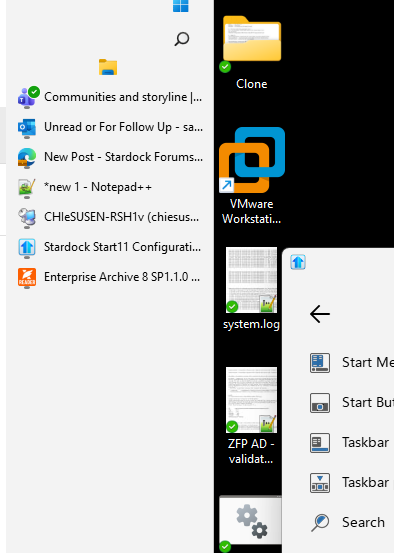
 

Help! 
86 views 5 replies
Reply #1 Top

Hello,
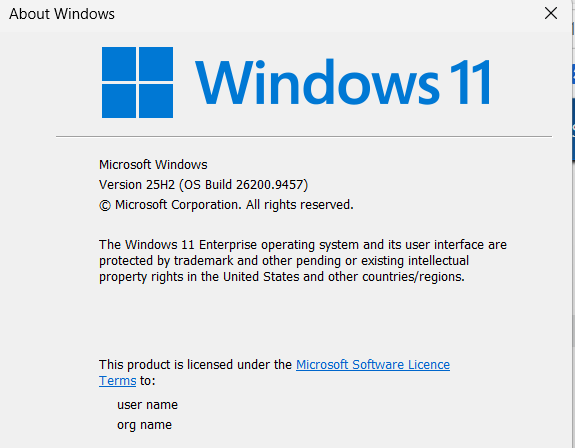
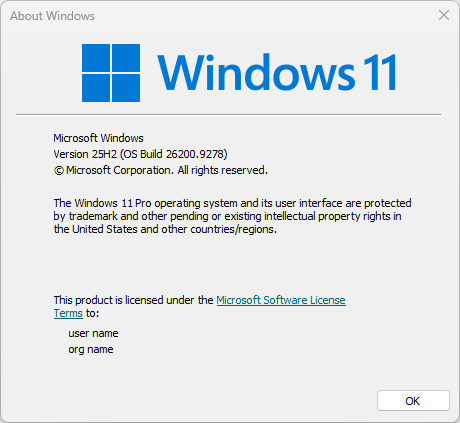
Sorry to hear you are having issues. We need to know your Windows 11 full version and OS Build number. Please use Winver.exe to get these number. Something like my screenshot below.

Thank you,
Basj,
Stardock Community Assistant.

Reply #2 Top


I'm also having another issue now that I didn't earlier. 

When I click on an icon in the task bar, it does bring the window up top. 

Reply #3 Top

Please try, uninstall Start11, reboot immediately (important), download latest version available in your account product download page: https://store.stardock.com/myaccount/products. Install it, reboot immediately again. Retest it and report back.

Also, are you a touch capable system?

Thank you,

Basj,
Stardock Community Assistant

Reply #4 Top


I already did.

After rebooting, the issue with "click on an icon in the task bar, it does bring the window up top" is not occurring, but my initial issue is still there. 

However, the original issue with taskbar is still there.

At normal size

Dragged taskbar wide

Reply #5 Top
Quoting basj, reply 4148171

Also, are you a touch capable system?

End of basj's quote

How about this question?

Next, would like to suggest trying Clean boot steps: https://support.stardock.com/space/SHC/1334935592/Start11+Clean+Boot. Do note that Clean boot need to be done with care. Try it and report back.

Thank you,

Basj,
Stardock Community Assistant