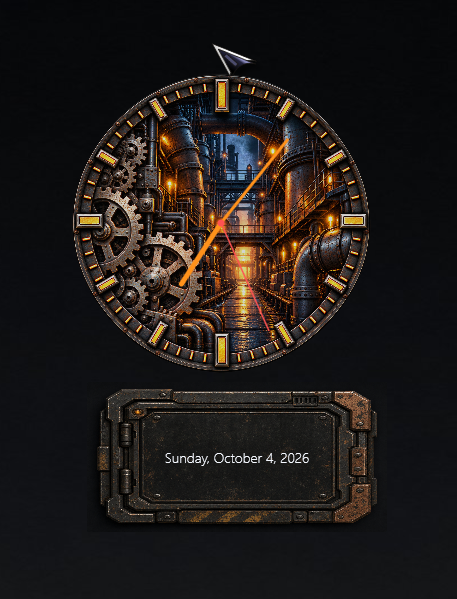
SysCanvas is a Great Desktop Gadget

Offers a lot of really awesome capabilities

C242 has created an awesome Desktop Gadget for Windows.

Recycle Bin and Clock/Date/CPU%/RAM% by SysCanvas
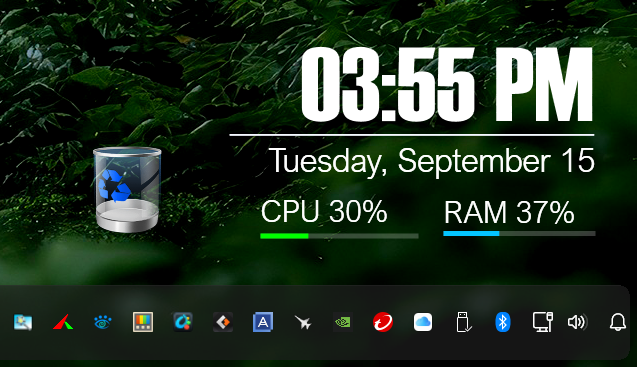
Check it out at WinCustomize Desktop Gadgets SysCanvas by C242

1,138 views 18 replies +1 Loading…
Reply #1 Top

Thank You. :-) New update 0.71 - Whole screen can be the canvas to position gadgets. 

Reply #2 Top

Whole screen as the canvas is the part I would care about, though not quite for the reason it sounds like.

The gadgets that lasted on my desktop were never the ones with the best feature list. They were the ones that came back where I left them. My dock has outlived several monitors. What killed everything else I ran alongside it was one of two things: something that repaints constantly and quietly eats a core, or something that forgets where it was the first time a screen sleeps and wakes up at a different resolution.

So more room to place things is worth having if the placements survive that. If they do, it is worth a good deal more than another readout.

Reply #3 Top

Updated to 0.79 - Lots of additions and fixes. Testing next addition systray display will take a bit.

+1 Loading…
Reply #4 Top

The whole screen as canvas is the part I would be careful with. My desktop is already carved up and the empty patches are empty on purpose, so anywhere is not really anywhere for me, it is about three places.

What I would want instead is one region I hand over once and then stop thinking about. Being free to drop a readout in the middle of my icons is freedom I would never once use.

Reply #5 Top

Good job, Carl. :beer: :pizza: 

Reply #6 Top
Quoting bkelso82, reply 4147343

The whole screen as canvas is the part I would be careful with. My desktop is already carved up and the empty patches are empty on purpose, so anywhere is not really anywhere for me, it is about three places.

What I would want instead is one region I hand over once and then stop thinking about. Being free to drop a readout in the middle of my icons is freedom I would never once use.

End of bkelso82's quote

1. You don't need to use that option
2. The canvas can be transparent
3.. There is a 'click thru' option

Reply #7 Top

Fair, and the click through answers the visual half of it. What I meant was where my attention goes rather than what is covering the icons, and a readout sitting over them is still in the corner of my eye whether or not clicks pass through it.

That is a preference of mine rather than a fault in yours. Transparent plus click through is more than most things on my desktop bother to offer.

Reply #9 Top

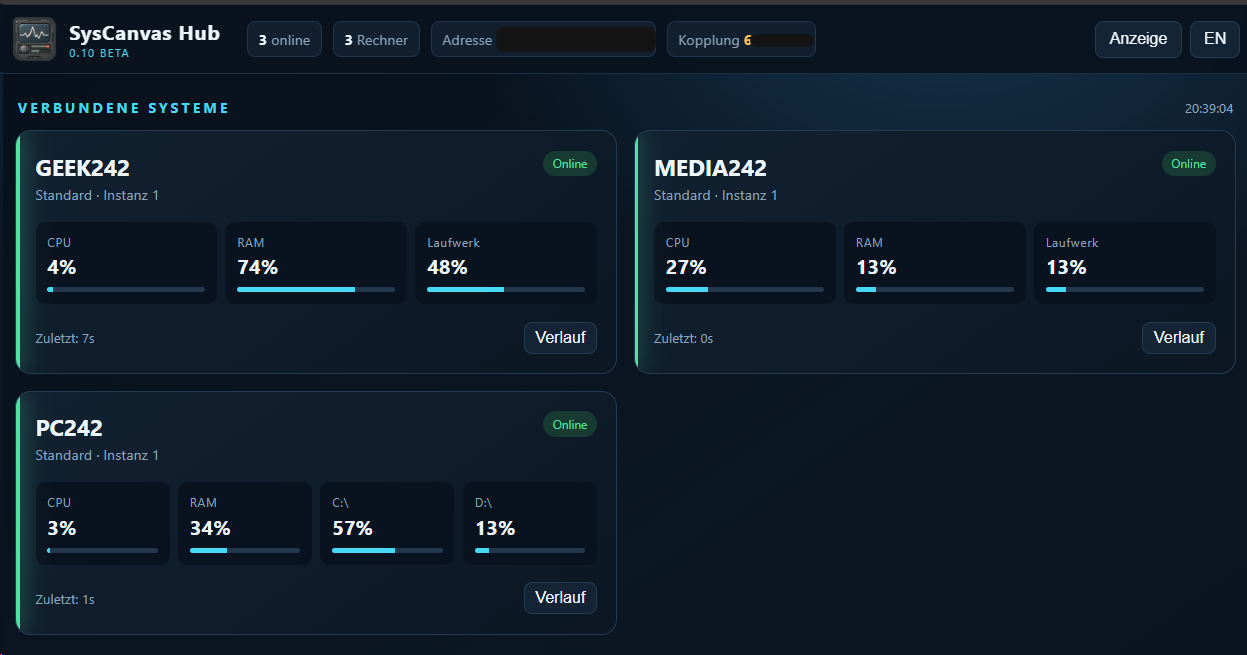
Monitoring for the Homelab in next Beta.

Reply #10 Top

At the moment I am in the middle of changing all my apps to WinUI3, when ready and usable I will launch a website containing all of them for free download.

+2 Loading…
Reply #11 Top

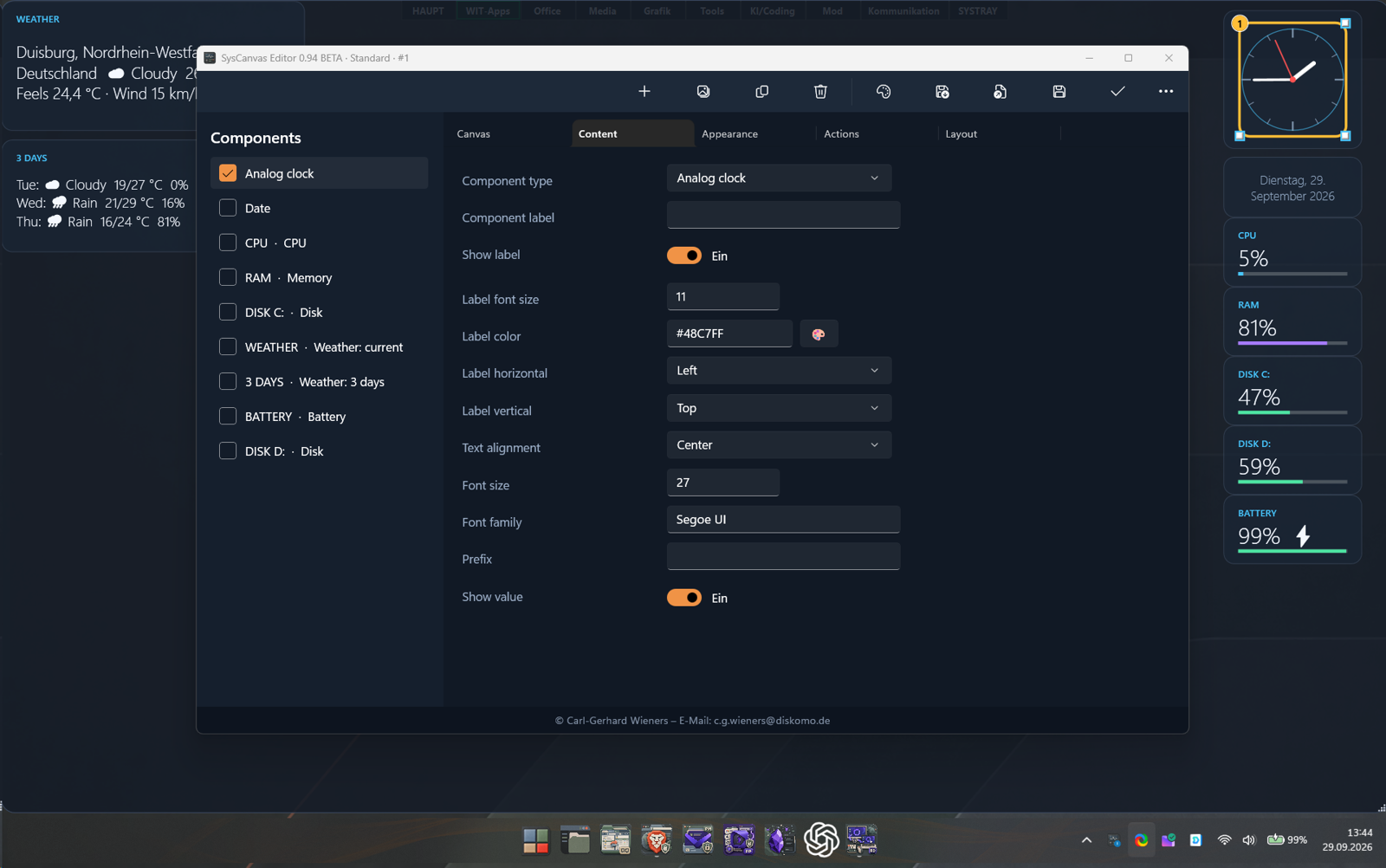
Really liking the new Editor! :thumbsup: :grin: 

Reply #12 Top

Had a look at the editor shot. The cards down the right all match each other, same corners, same bar under the number, which is more than most gadget sets manage.

The two seams I noticed are the titlebar, which is the plain system one sitting on top of your dark body, and the toggles saying "Ein" while every label around them is in English. I'm aware nobody else will care about either. I would.

Reply #13 Top

Yes, old version. Will update soon.

Reply #14 Top

+1 Loading…
Reply #15 Top

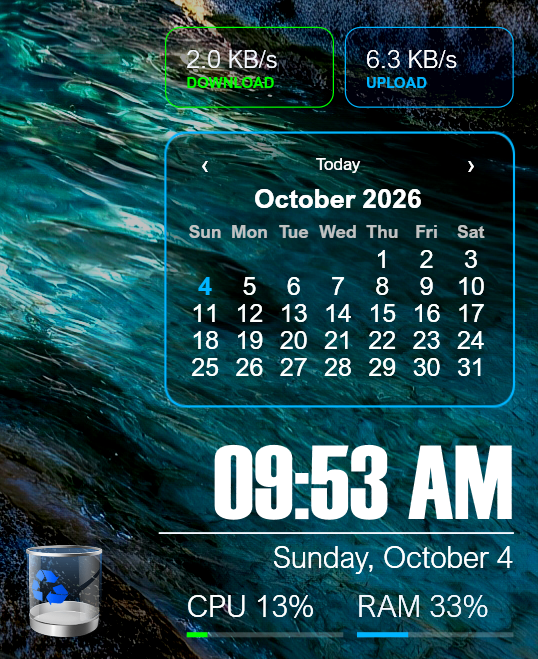
Here are a few examples of what SysCanvas can do.

These are actually three instances of SysCanvas. I like clean, simple gadgets, but you can make them look anyway you like using the PNG Background feature.

1) Time/Date/CPU usage/RAM usage/Recycle Bin
2) Calendar with a PNG background
3) Upload/Download speeds

+1 Loading…
Reply #16 Top

I will soon post more examples of skinned components to make more clear, what this really is.

+1 Loading…
Reply #17 Top

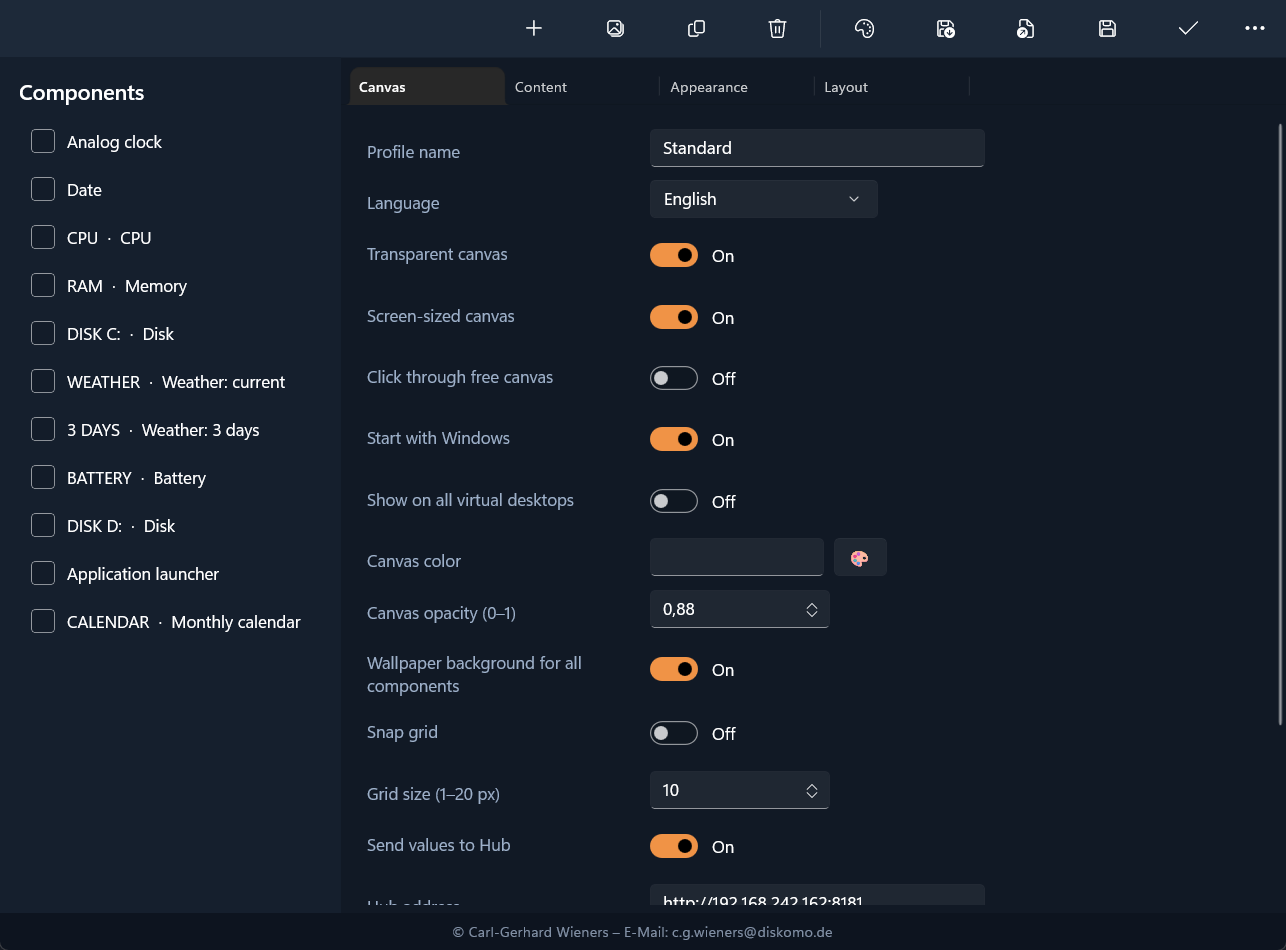
Fair enough. The toggles say On now and there's a language setting right at the top, so that one's answered. I can't tell about the titlebar from this shot, it's cropped just above your toolbar.

Since you've handed me a language dropdown though, with it set to English the opacity field still reads 0,88 with a comma. I did say I'd be the one who cared.

Reply #18 Top
Quoting NeoX, reply 4148092

Fair enough. The toggles say On now and there's a language setting right at the top, so that one's answered. I can't tell about the titlebar from this shot, it's cropped just above your toolbar.

Since you've handed me a language dropdown though, with it set to English the opacity field still reads 0,88 with a comma. I did say I'd be the one who cared.

End of NeoX's quote

You rule an app from a screenshot? Honestly?