
Half of Fences freezing

Windows Version Number: Windows 11 Enterprise 10.0.26200
App Version: 6.5.8

I currently have Fences 6 installed on my HP laptop running Windows 11. I have four rows of fences on my desktop. I find that two rows of fences on the bottom half of the screen become unresponsive 90% of the time. Today, the fences on the right hand side of the desk top are ok too. I have one fence that is the full width at the bottom of my screen and all the files are unresponsive except four on the right hand side of the screen. I have multiple screens but just use one screen with Fences. I have set all resolution to the same, this makes no difference. I have added the "show fences" icon on my task bar, which enables the fences previously frozen for a few seconds, which is long enough for me to open my file needed at that time. Has anyone else experienced this, is there a fix? 
48 views 1 replies
Reply #1 Top

Hello,
Sorry to hear you are having issues. First, please try, uninstall Fences, reboot immediately (important), download latest version available in your account product download page: https://store.stardock.com/myaccount/products. Install it, reboot immediately again. Retest it and report back.
If the issue still appear, we need few more details.

  1. Windows full version and OS Build number. Use Winver.exe to get these numbers.
  2. Post a video showing the freezing issue so we understand it better.

Thank you,

Basj,
Stardock Community Assistant.

Reply #2 Top

Hi Basj

Thanks for your response.

Version is 25H2(OS build 26200.8653).

I have tried to re-install but the issue persists. 

I cannot take a video at the moment, I will have to create some dummy files and fences to demonstrate. 

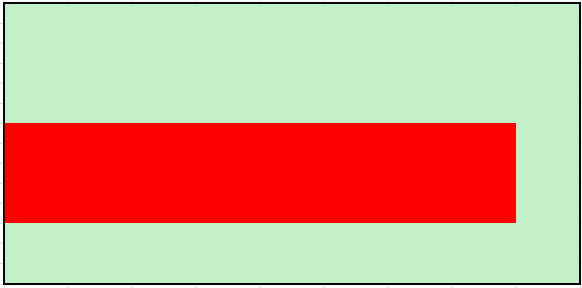
The "dead" zone, is shown in red on the below image to give you an idea of the area and location. I have got around the issue by not having any fences in this area. Basically any fence in the red area will not let me select the fence or anything in it.