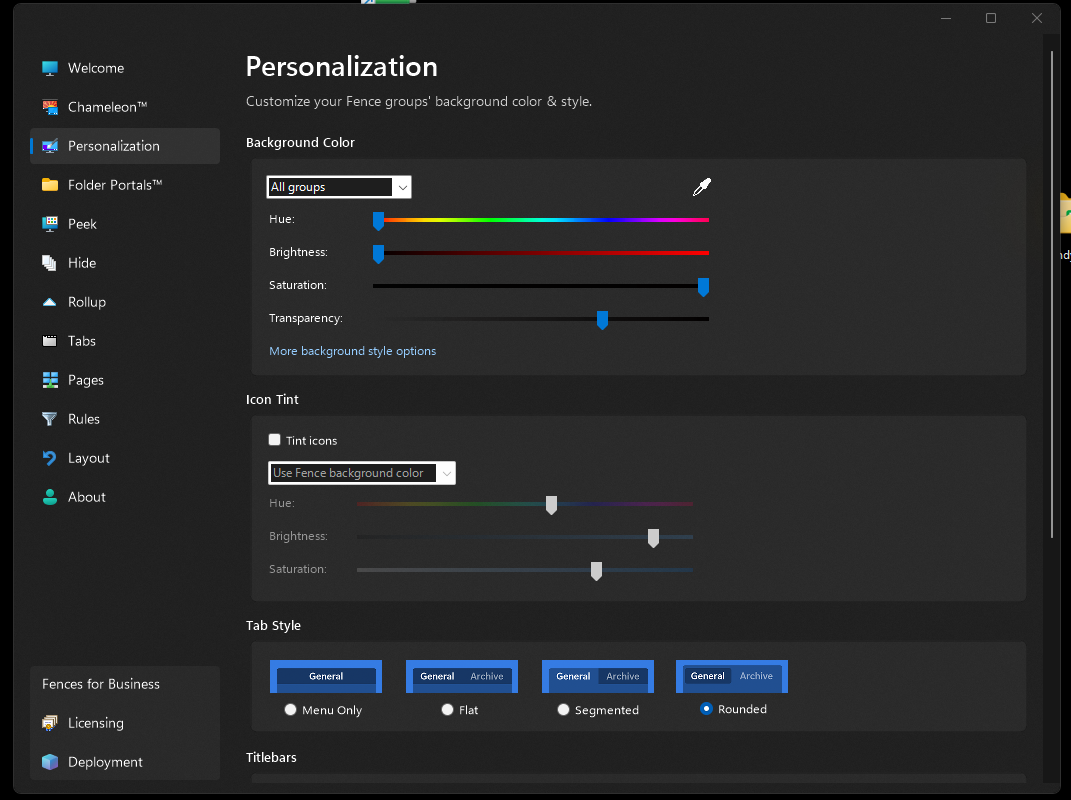
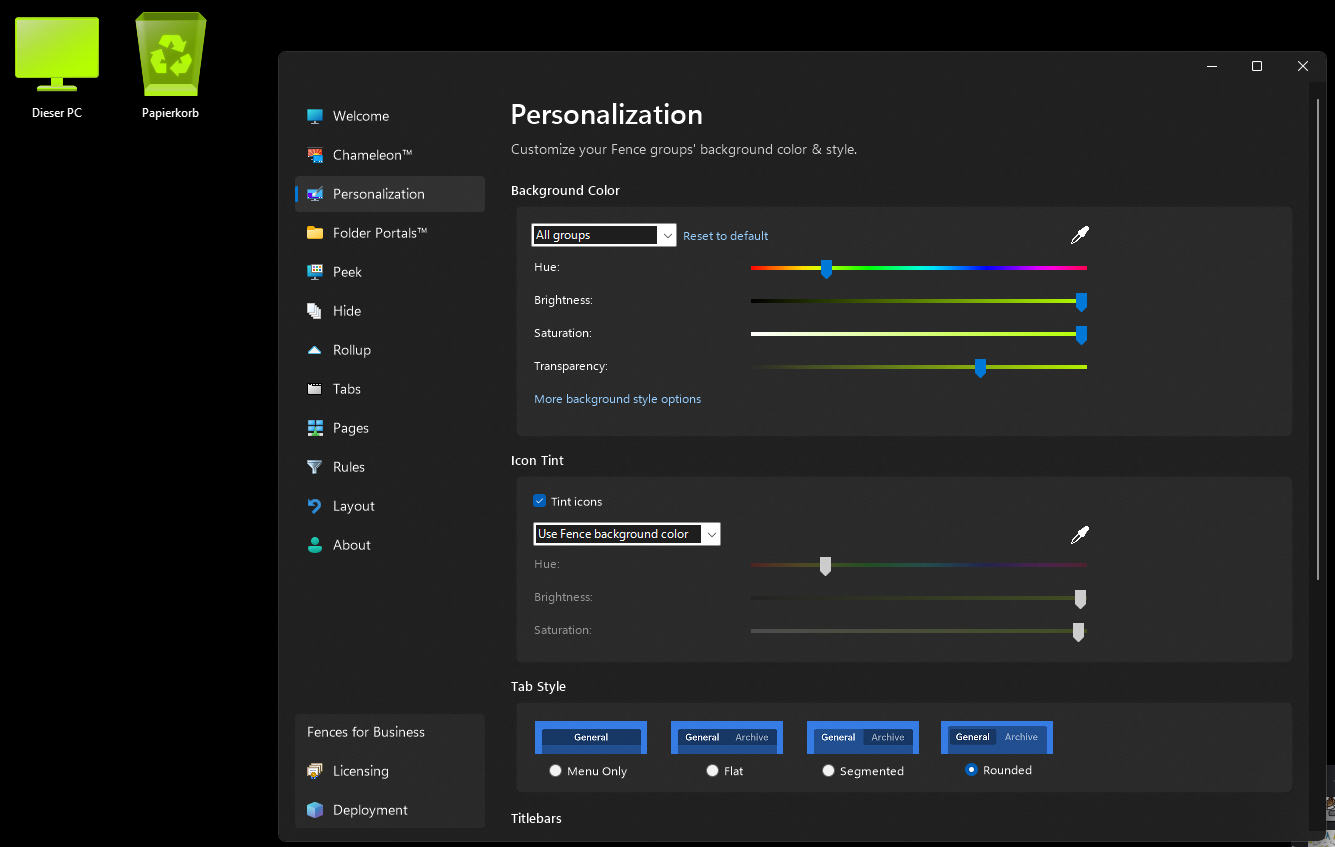
"All groups" includes the entirety of the desktop?
from  Stardock Forums
Stardock Forums
Windows Version Number: Windows 11 25H2 (26200.9457)
App Version: 6.54
Example situation below: This setting will result in all icons, including desktop icons outside of any folders or fences, changing their colors according to the color settings, including folder and files.
Is this intended behaviour? Does it mean that installing Fences will automatically consider the entire desktop as one Fence? Would be quite unintuitive and the fact that this isn't communicated on first start up is what makes me believe that this isn't intentional, unless I missed it?