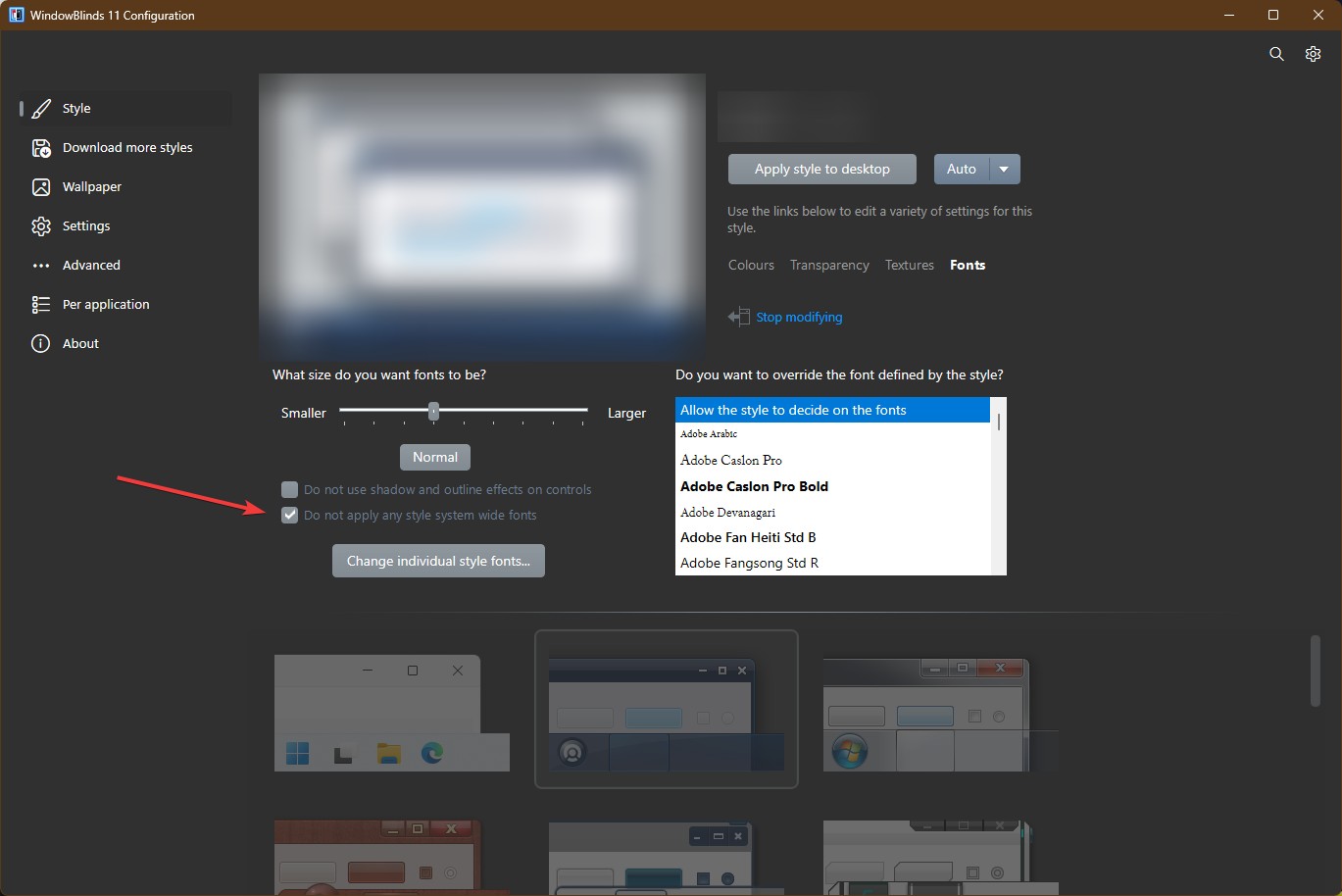
Question about font handling in WB themes
 WinCustomize Forums
This is a question that I've been pondering for several years now... I've discussed it occasionally with theme creators (Hi, @LightStar !!), but never gotten any useful insight into the situation, so I would like to introduce it here...
First, let me set the background... I *love* custom fonts!! I typically use CaligulaA for desktop, Lucida Calligraphy for menus and such, and a varying selection of fonts for Message, which is used by Thunderbird email program. Under Wonderful Windows 7 (where we still had control over our interfaces) I could just set these fonts, but in Windows 10 I have to use Winaero Tweaker to set them, and then logout/login to get my selected fonts to take effect... you can probably guess that I would prefer that nothing else messes with my font selections...
That brings us to WindowBlinds... when I activate a theme in WB, I get one of three results:
1. the new theme implements all of its visual characteristics, but leaves my selected fonts completed unmodified... @don5318 is the classic example of this, both in his free and formerly-paid themes, but many others do this as well.
2. the new theme takes effect, but it changes many of the various fonts to my default font (CaligulaA), which is fine with me.
3. the new theme resets *all* of the fonts to system font, which is something like 8-point Segoe UI, which is possibly the worst font that anyone could *ever* select for any desktop font at all... yes, I will never forget you, @LightStar...
So, my question is this... is there something easy that I can do in Skin Studio, to default a Result 3 theme to *at least* Result 2, preferably Result 1 ??
I mean, it *has* to be doable, because many fonts do it!!
 Stardock Forums