


Adding Widgets to the Start Menu with Start11 v3
Adding the features you want to the Start menu
 Stardock Forums
Last week, we released the first beta of Start11 v3, and it is packed with features like taskbar islands, toolbars, and a lot more. With today's update, we are adding new color scheme options to easily theme your taskbar and Start menu, but more importantly, we are adding more widgets too.
With Start11 v3, we have added the ability to place widgets inside your Start menu to make it easy to keep the most important information in front of you without cluttering your desktop. There are options for RSS feeds, system stats, timers, calendar, calculator, and new in this release, you can now add Phone Link as a widget.
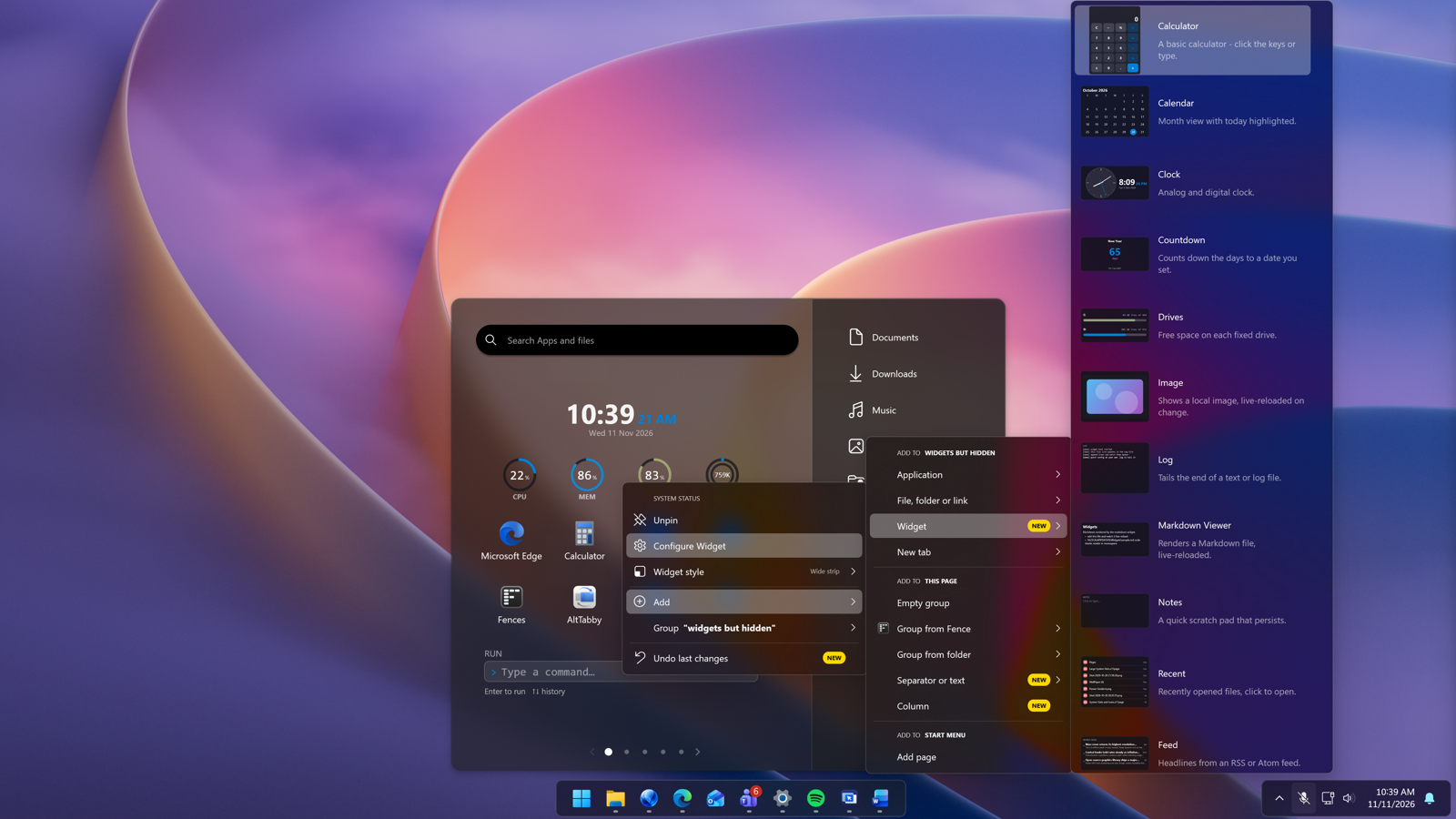
Right click to easily add a widget
To get started, inside any group, right-click and select “Add” and then “Widget” to place a widget inside your menu. Once added, you can right-click the widget to adjust its style, change text colors, remove backgrounds, and customize many other options, with each widget having its own set of controls.
With Phone Link, you have multiple options for adding this information to your Start menu, including several different styles to help you see the information that is most important to you. And like all other widgets, it can be added to tabs and folders, and you can adjust the colors too.

Phone Link as a widget in Start11 v3
Start11 v3 isn't just another update for the Start menu application, it's an overhaul of what can be done with your Start experience. The goal is to make the Start menu a more personal and productive experience, and with these new widgets, it's another step in that direction.
Which opens the door to the question, what other widgets should we add to Start11 v3?
If you haven't tried Start11 v3 yet, you can learn more about the application here. It's also included in our award-winning suite, Object Desktop, which bundles all of our best applications into one package.