WindowBlind not start
from  Stardock Forums
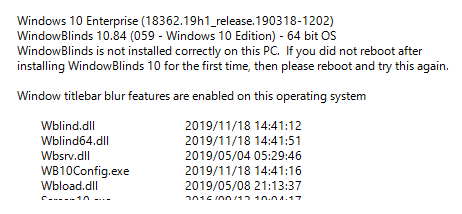
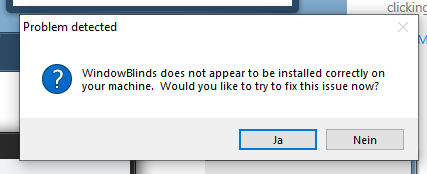
this ist the Problem



Stardock will be closed starting on November 26th and we will be returning November 30th. We will be monitoring support tickets and forums but expect delays in responses during this time.

For Eset Please try this guide :
But need to mod steps 15-21 as below
15. I change the drop down menu to "All files" than press next.
16. Application operations : All operations selected.
17. Next.
18. Applications : again change the drop down menu to "All applications" than press next.
19. Registry operations : Select all registry operations.
20. Press next : Registry Entries : again change the drop down menu to "All entries"
21. Press Finish.
The steps was successful implemented as mentioned in this thread : https://forums.stardock.com/493358
Try it and report back.
Thank you,
Basj
Stardock Community Assistant.
Welcome Guest! Please take the time to register with us.
Select a reason for giving karma:
You're about to visit an external site:
Sign up here to get the latest news, updates, and special offers delivered directly to your inbox.